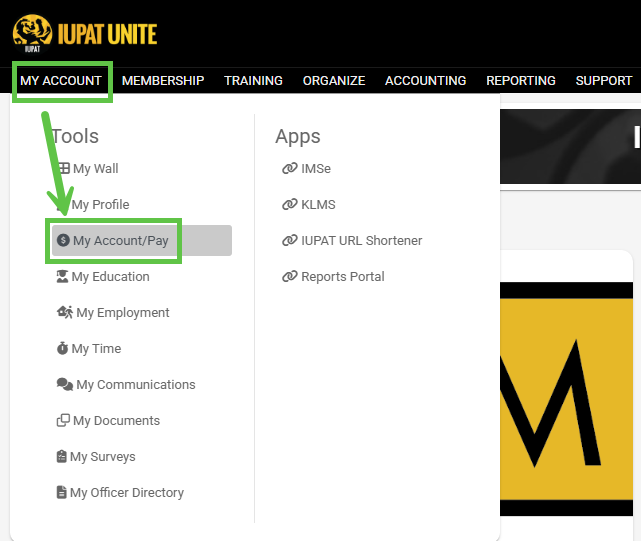
Under My Account > My Account/Pay, you will find the "Pay Now" button.
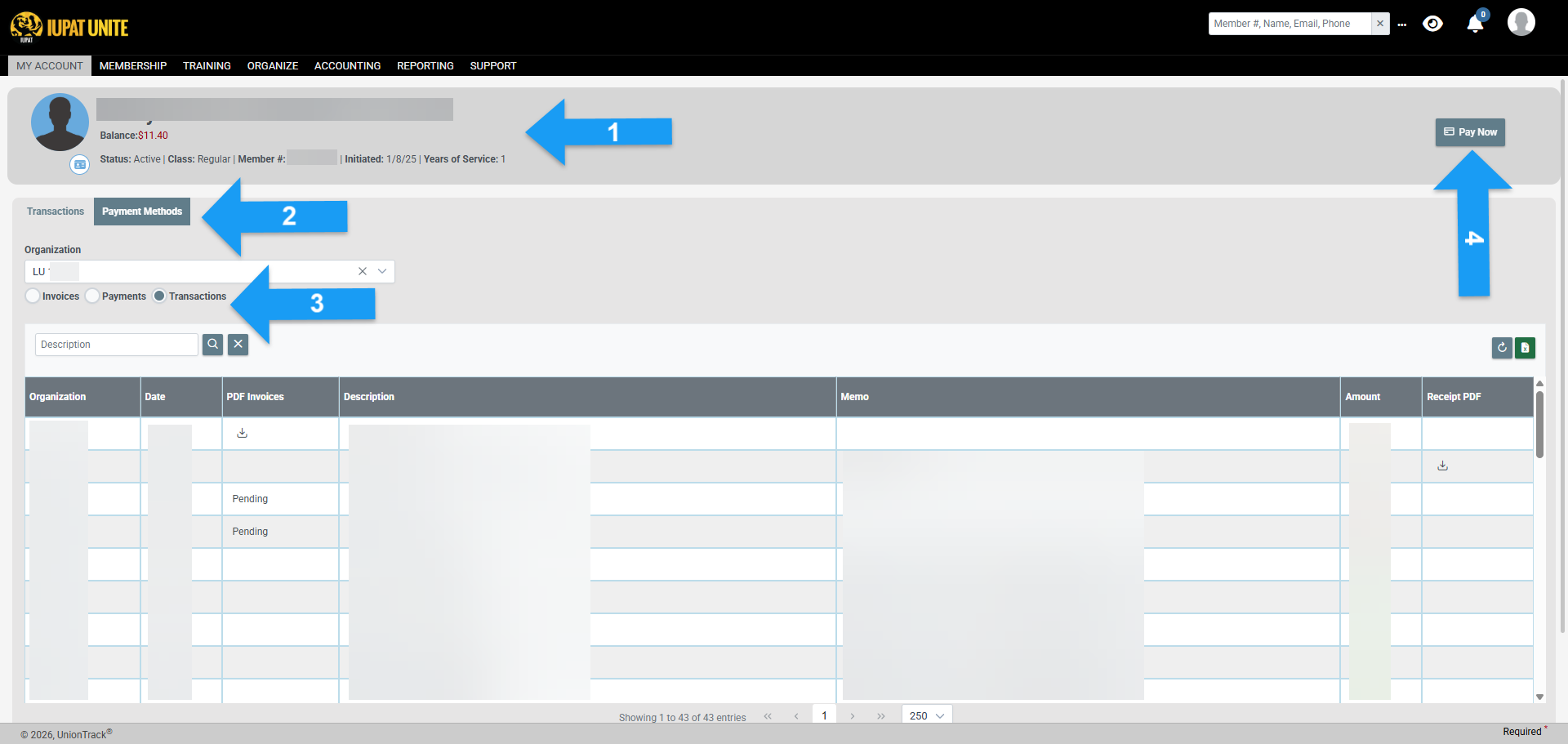
This page will show the member's account information.
- This is the member's record information. It will shows the member's name, balance, status, class, member number, initiation date and years of service.
- This is were the member can switch between viewing the records transactions and setting up a payment method.
- This is where the member can find all of their invoices, receipts and transactions.
- To make a payment, the member can press on the "Pay Now" button
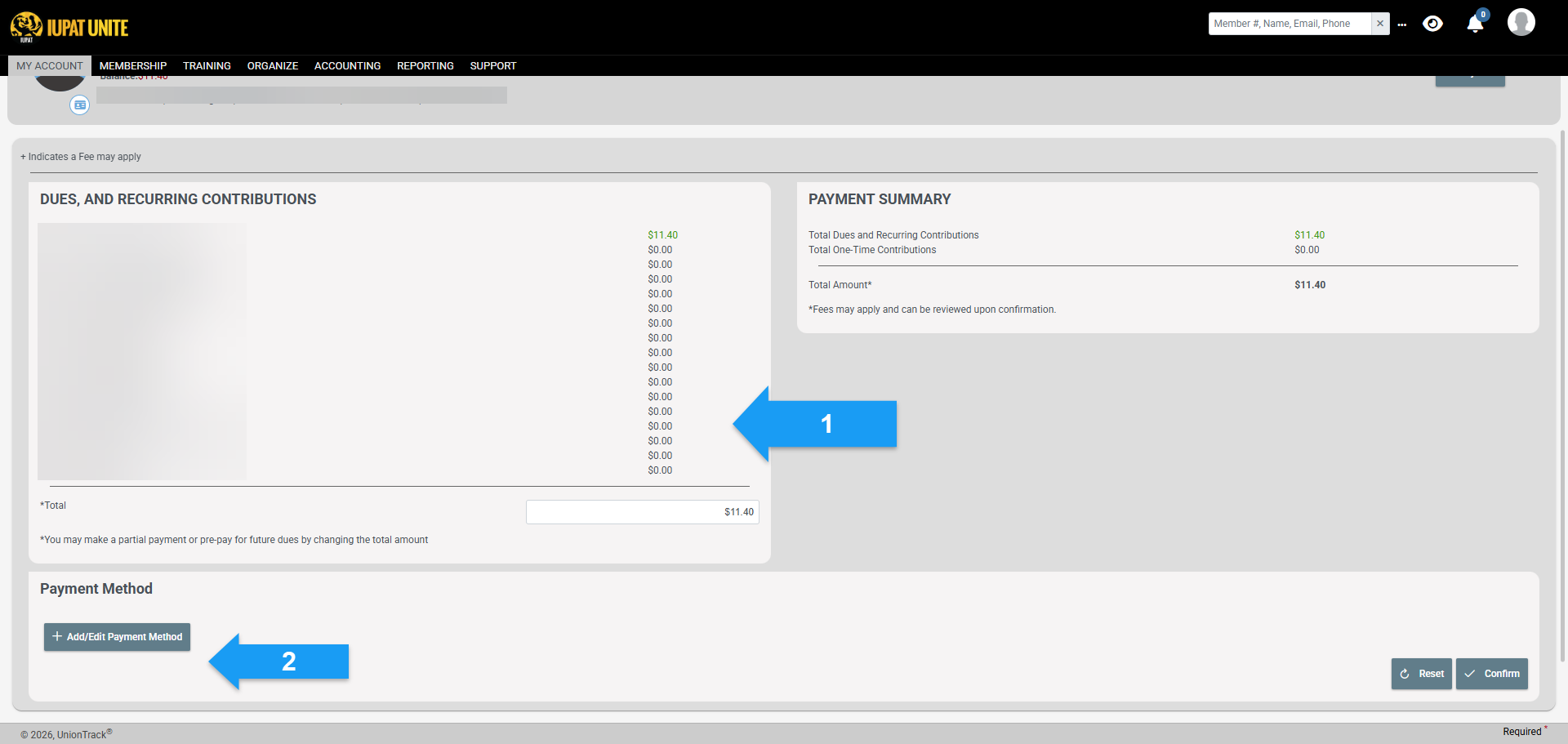
When viewing the Pay Now page, the member can see the charges that make up their balance (1) and edit their payment method (2).
When adding/editing a payment method, the member will be presented with the screen below.
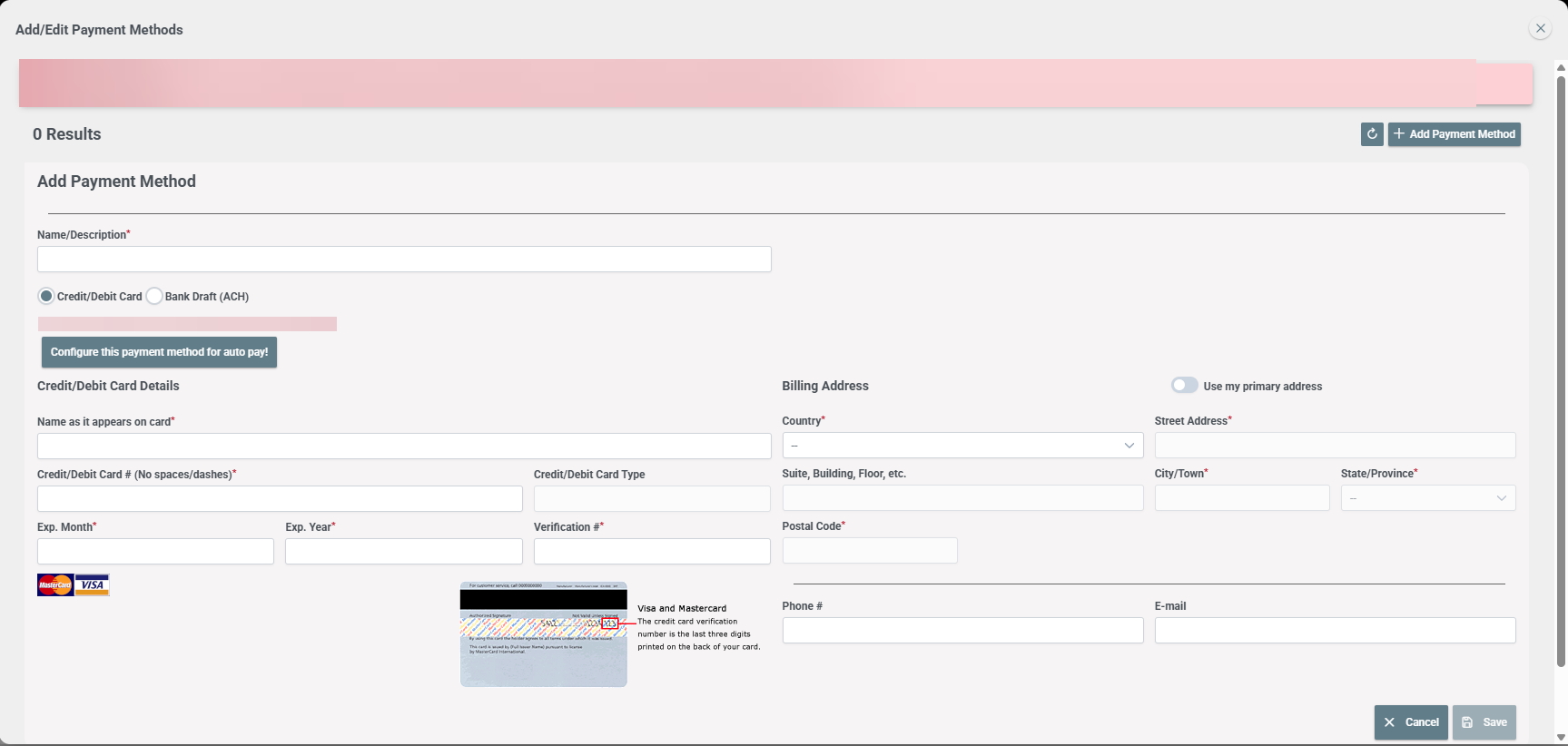
They can choose to pay by card or ACH. This is done by entering the account information into the given boxes.
Disclaimer
None of the saved information is stored within UNITE, the information is saved within the bank account the council sets up to handle the payments. This leads to a more secure way of storing banking information.
Was this article helpful?
That’s Great!
Thank you for your feedback
Sorry! We couldn't be helpful
Thank you for your feedback
Feedback sent
We appreciate your effort and will try to fix the article