IUPAT has introduced a new login experience to make signing into the UNITE application more secure and user-friendly. Follow the steps below to access your account:
Step 1: Enter your UNITE Username
Enter your email address and click the Submit button to continue.
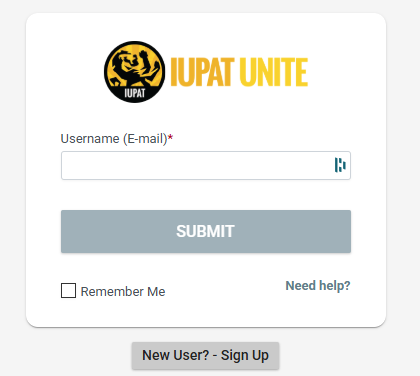
- DUO will open
Step 1.5 (This will only happen during your DUO/SAML Setup)
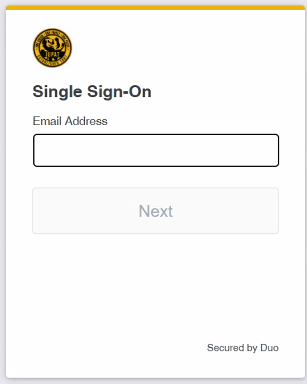
- Enter your email address on the Single Sign On Page
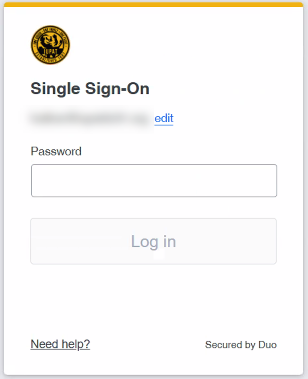
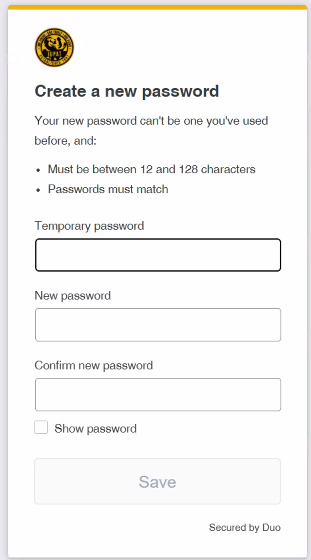
- Enter your Temporary Password
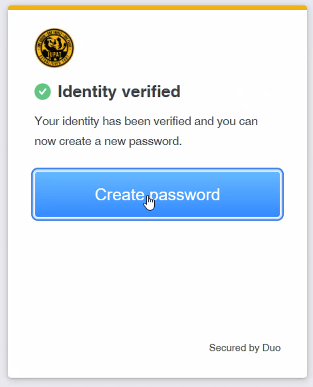
- Verify your identity using MFA (DUO)
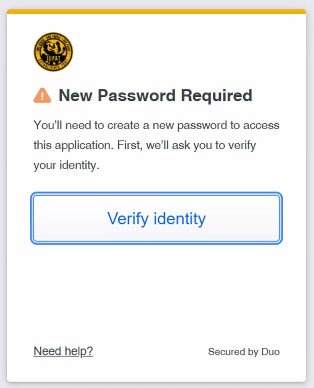
- If you have not yet set up DUO - Click this link to create your DUO Account
- Accept the DUO Notification
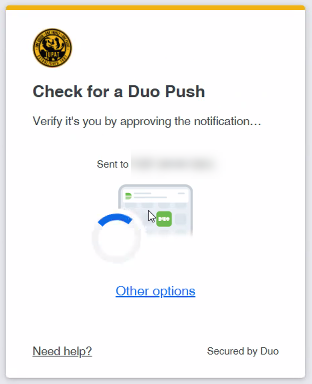
- Create a new password
- Enter your Temporary Password again and create a NEW Password
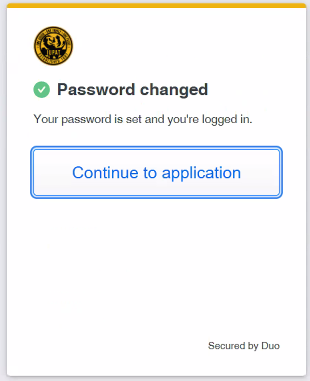
- Continue to the application
Step 2: Log In Through Single Sign-On (SSO)
After submitting your email, you’ll be redirected to the Single Sign-On (SSO) page.
Enter your IUPAT login credentials and select Log In.
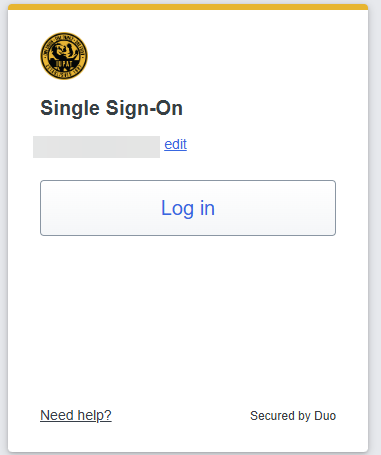
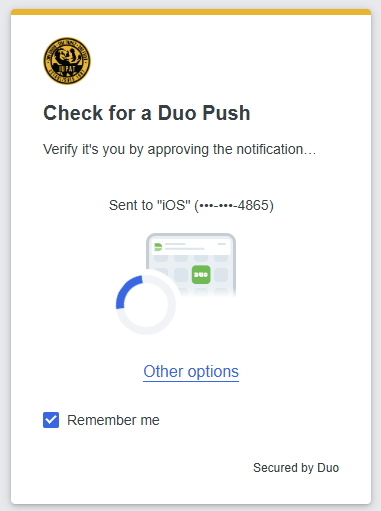
Step 3: Verify with Duo Push
Once logged in, you’ll be prompted to check for a Duo Push.
Duo will send a login approval request to the mobile number linked to your UNITE account.
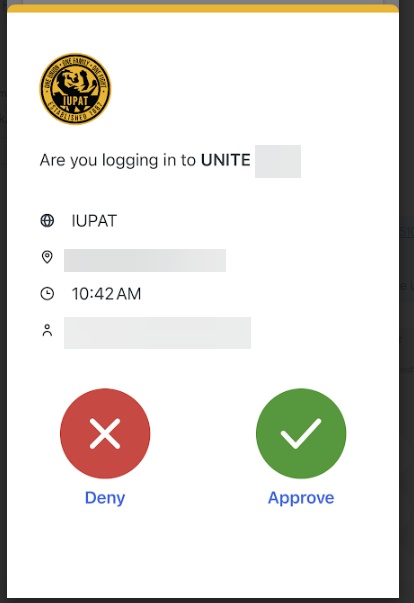
Step 4: Approve the Login
Open the Duo Mobile app on your phone.
Tap the green checkmark (✓) to approve the login request.
Step 5: Access the UNITE Home Screen
After approving the Duo notification, you’ll automatically be redirected to your UNITE Home screen.
Was this article helpful?
That’s Great!
Thank you for your feedback
Sorry! We couldn't be helpful
Thank you for your feedback
Feedback sent
We appreciate your effort and will try to fix the article