Accessing the IUPAT URL Shortener Tool:
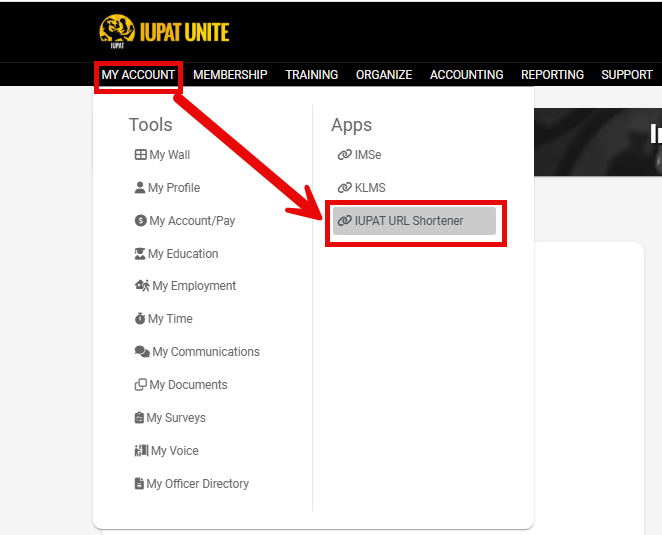
- Log in to Your UNITE Account.
- Navigate to the MY ACCOUNT Tab.
- Under the Apps section, find and click on the IUPAT URL Shortener.
- Alternatively, you can directly open a new browser window and type in <https://shorturl.iupat.org>, then press Enter.

Creating a Shortened URL:
- Enter the Desired URL: In the provided field, type or paste the URL that you want to shorten.
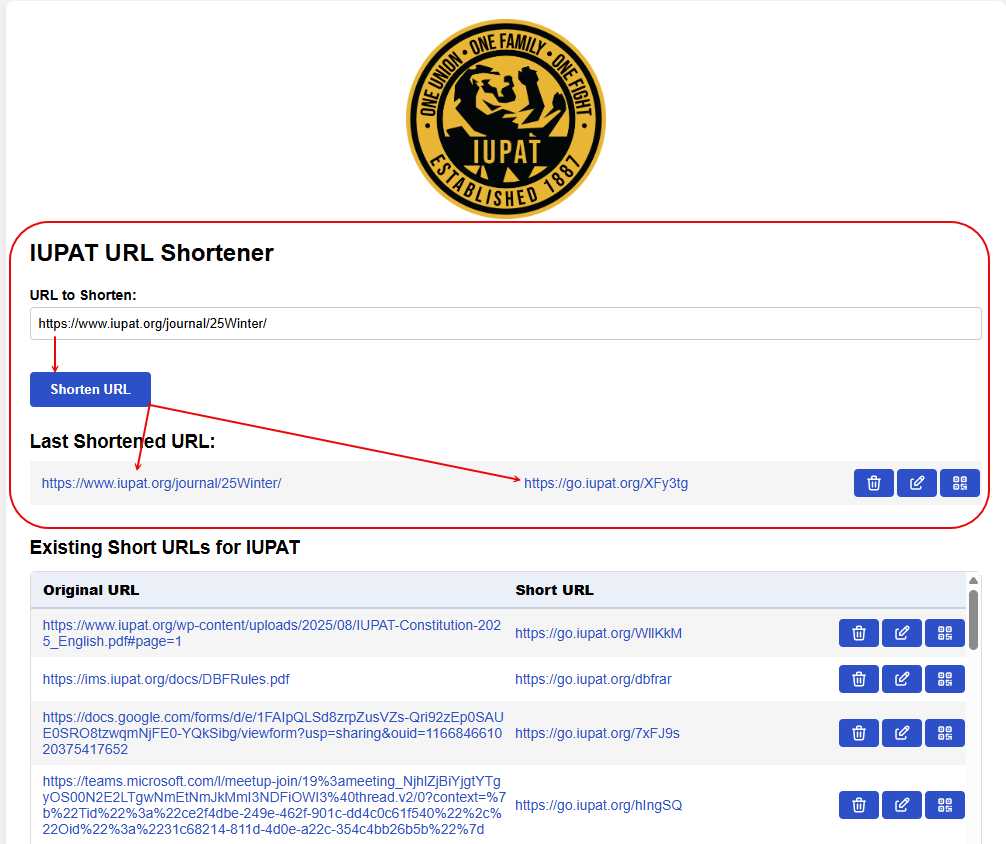
- Generate the Short URL: Click the Shorten URL button to generate a shortened version of the provided URL.
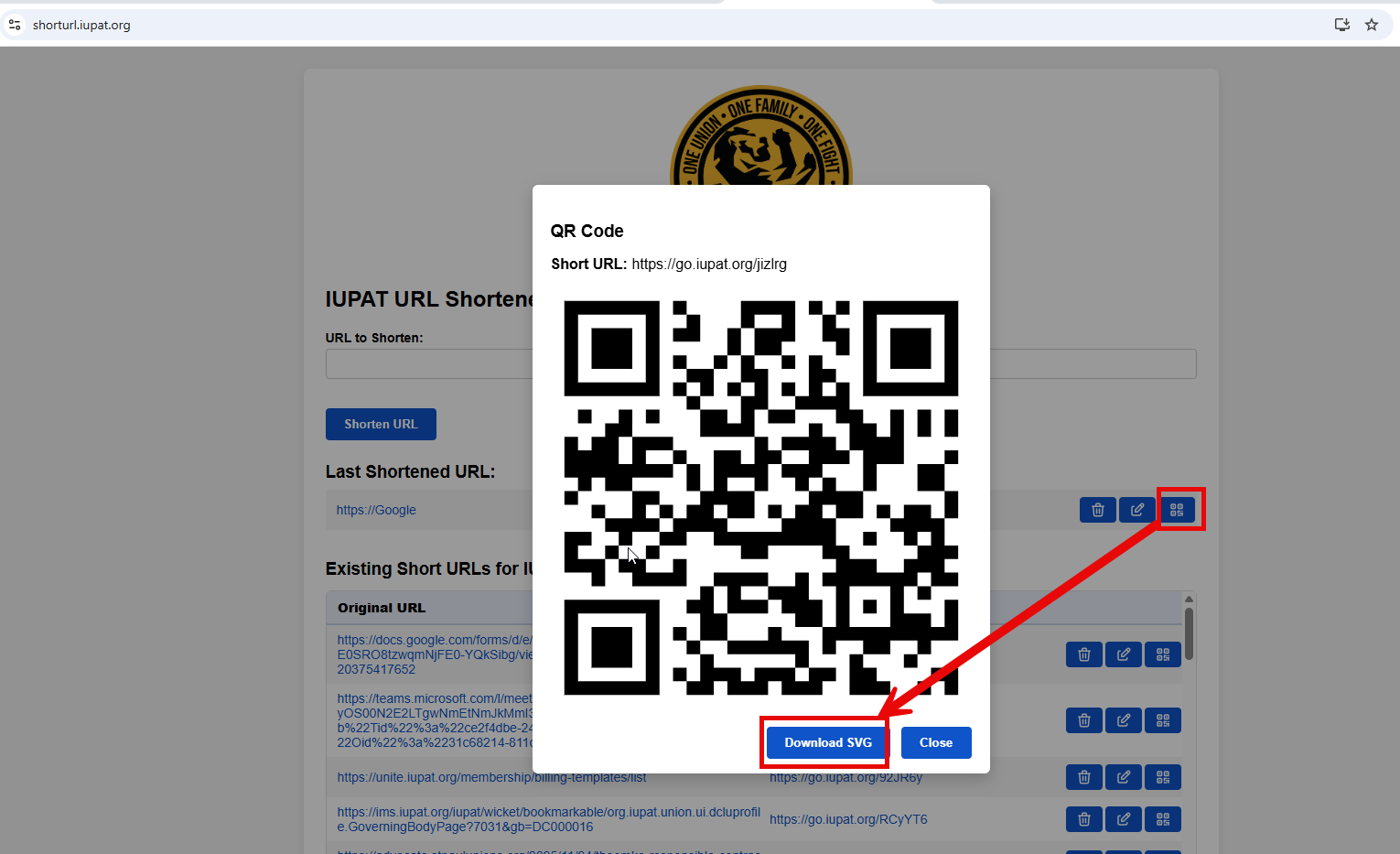
- Share or Use the New URL: The QR Code of the New URL can be downloaded and shared in various communications.
Existing Short URL History
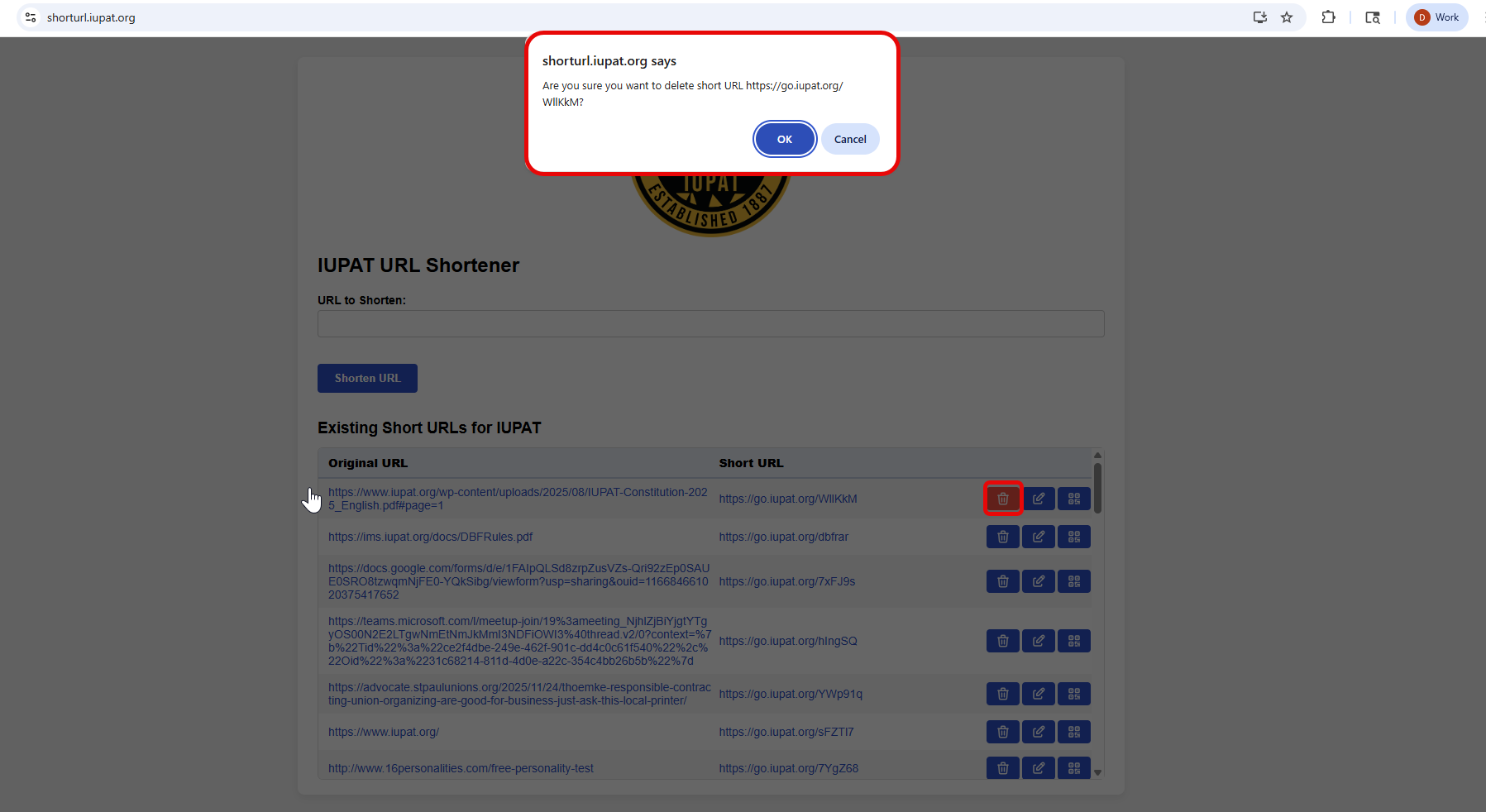
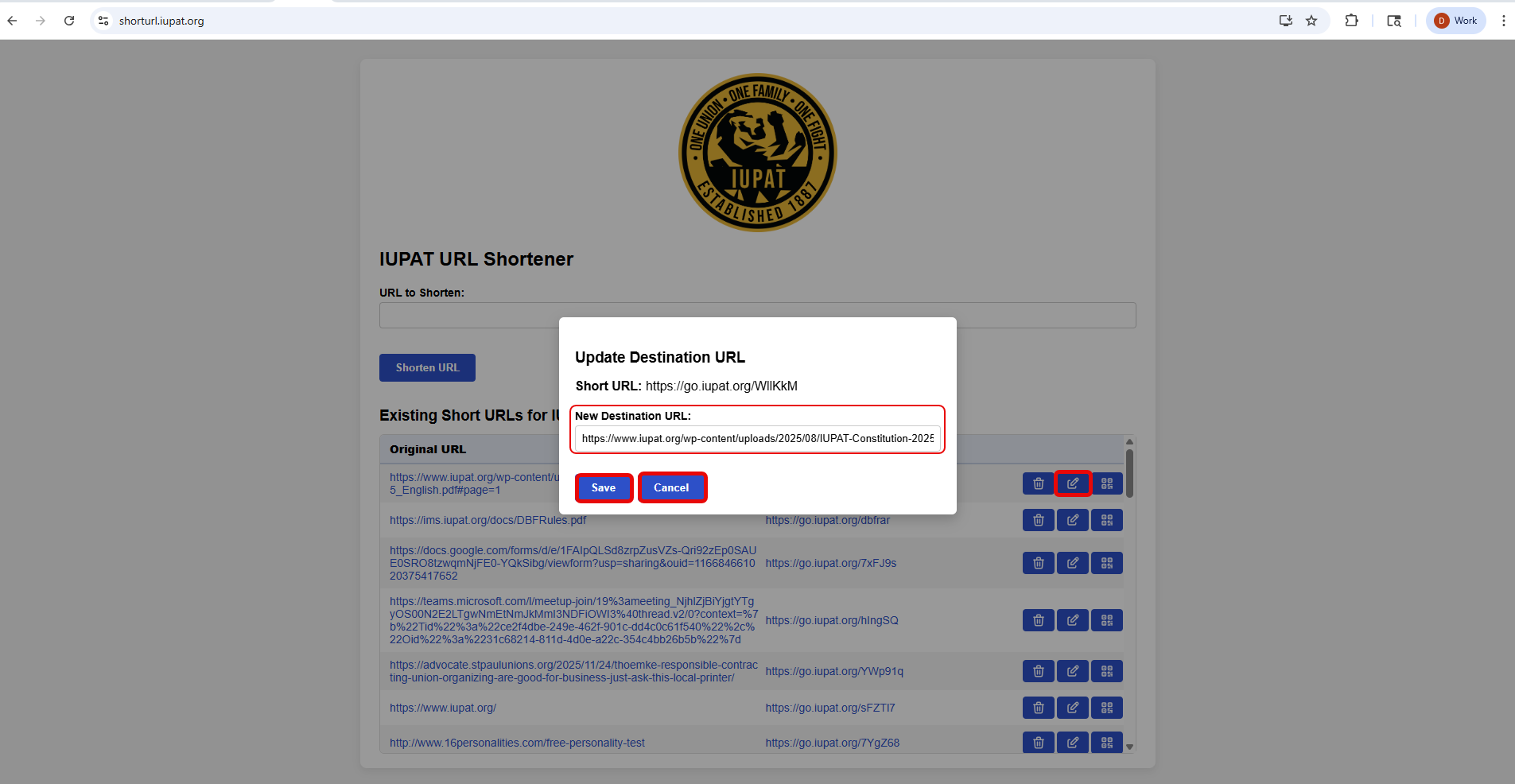
- All previously created short links are stored and can be viewed under the “Existing Short URLs” section. This area provides a history of URLs that have already been shortened, allowing you to quickly reference, manage, edit, or delete existing short links as needed.
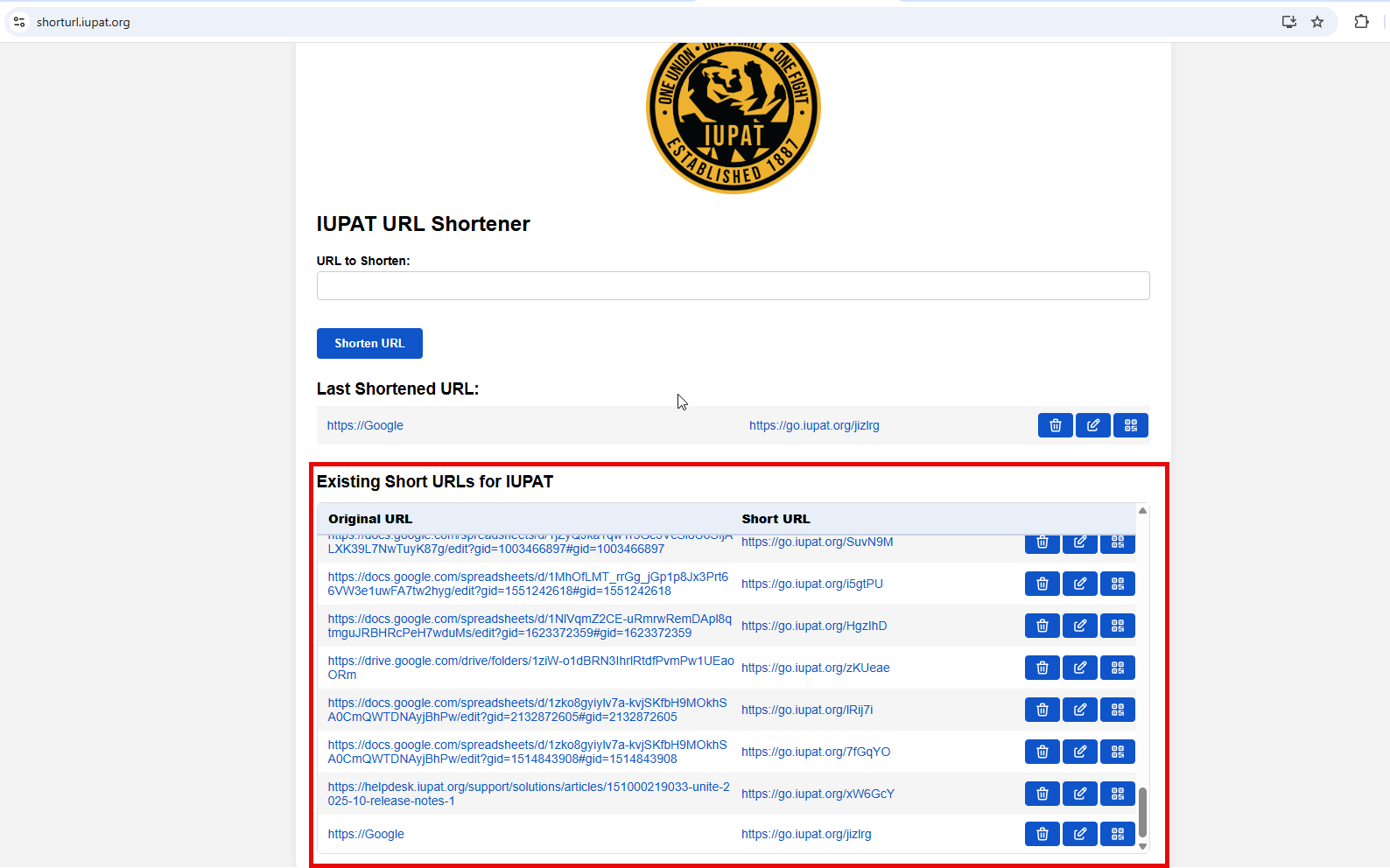
- Delete Short URLS
- Edit Short URLs
 Please note that the existing short URLs are specific to your organization
Was this article helpful?
That’s Great!
Thank you for your feedback
Sorry! We couldn't be helpful
Thank you for your feedback
Feedback sent
We appreciate your effort and will try to fix the article